- Flexible design
- Decent active noise cancellation
- Good codec support
- Average battery life
- Niche best use case
Avantree is sailing in uncharted waters with its Aria Pro wireless headphones. There just aren’t a lot of headphone makers willing to float around in the space between budget models from brands like JLab Audio and more highly regarded cans by the likes of Sony and others.
By that definition, the $100 Aria Pro could be seen as an ambitious set of headphones, armed with active noise cancellation and stellar codec support and aimed at stealing fans of products both above and below them. Of course, it’s how well Avantree’s new cans — which the company doesn’t explicitly say are geared toward the office lifestyle, but sure seem to be based on the features they offer — live up to that definition that will determine how they’ll fare. That’s what I’m here to find out.
Out of the box
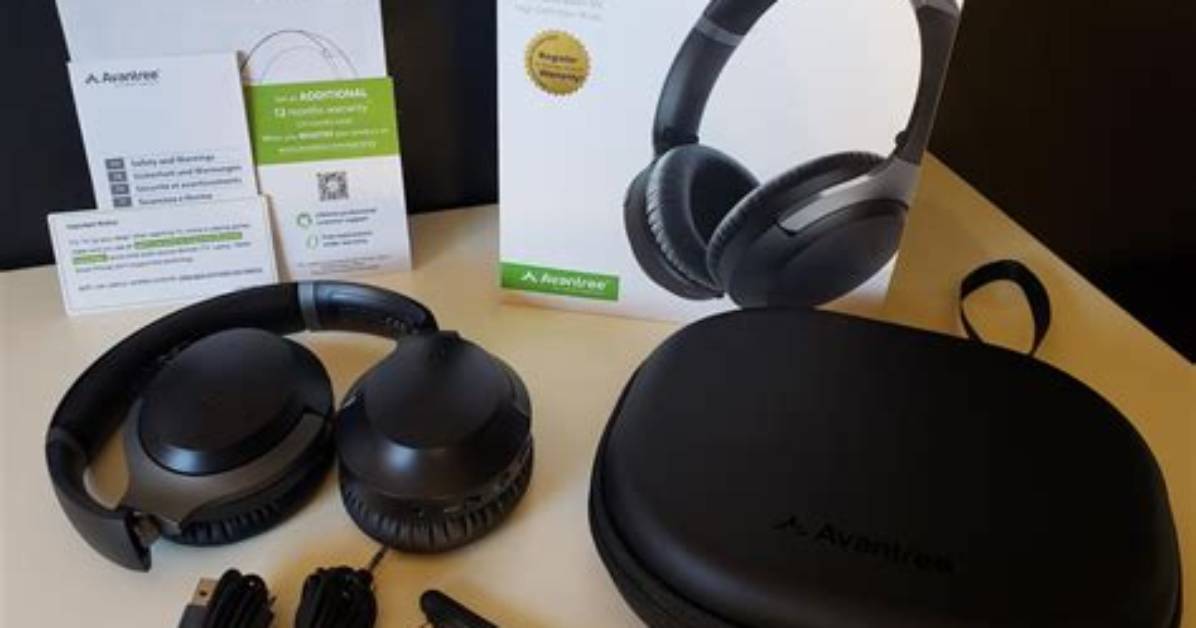
The Aria Pro arrive in straightforward packaging: A white box with the headphones tucked into their carrying case. Accompanying the headphones and its case are a few accessories, including a detachable boom microphone, a 3.5mm audio cable, a micro USB charging cable, and the usual documentation. The most notable part here is that boom mic, which gives these headphones an immediate advantage in workplace situations. I’ll get to that in a moment.
Powering the headphones on is as easy as toggling the power button on the bottom of the right earcup, which automatically sends the Aria Pro into Bluetooth pairing mode. The rest of the connection process is standard and, from my time testing these headphones, the Aria Pro seamlessly reconnected each time I powered them on.
With modern headphones and earbuds, my expectation is to be able to move around my house, or into the backyard for a few quick chores, all while maintaining a strong connection to my phone sitting inside on its charger. The Aria Pro and its Bluetooth 5 technology passed that test with flying colors, as most newer listening devices tend to do.
Design
Especially for $100 headphones, the Aria Pro struck me as reliably built cans. They lack the elegance of more expensive models like the Razer Opus, but they are comfortable, flexible headphones. Even after taking into consideration a few nuances, if you can accomplish those two design feats at this price point, that’s a win in my book.
The Aria Pro are outfitted with what Avantree calls “protein leather” earpads, and I admittedly have had better-feeling cups over my ears. But these do provide a nice level of comfort to wear for extended periods of time. They swivel 90 degrees, which allows the headphones to lay flat on your collarbone and have a reasonable range of motion in terms of tilting forward and back. The headband is a little sharper in some areas than you might want them to be, but they feel durable on top of being fully adjustable. This is all to say these headphones should fit most people well, and they should feel reasonably comfy doing so.
These headphones should fit most people well, and they should feel reasonably comfy doing so.
There are a small army of buttons, inputs, and switches included along the bottom of each cup on the Aria Pro. You’ve got your power switch, volume and track controls, and USB port along the right cup, and your ANC switch, call controls, mic control, and auxiliary port on the left. It’s quite a lot of buttons at your disposal, but after a day or two of using them, I adjusted to the complex control panel of the Aria Pro. I did have a couple of issues with phone calls that first day because I hadn’t read the part of the setup manual about unmuting the boom mic when plugging it in. Take that as your warning, as it’s a little embarrassing to leave your local dog daycare center hanging because they can’t hear you frantically fiddling with your headphones to try and get your audio to work on the other end.

